English
 DAVE THE DIVER has redefined the hybrid ocean adventure genre with its addictive loop of deep-sea exploration and sushi restaurant management. For players looking to break free from hardware constraints, OSLink Remote Desktop provides a high-performance solution. By using OSLink, players can access the full PC version on mobile without the need for a secondary purchase or sacrificing local storage space.
Quick Setup Tutorial for Playing DAVE THE DIVER on Mobile
Step 1: Download OSLink and Connect Devices
PC Side:
Visit the OSLink official website to download the software and complete the installation.

Mobile Side:
Download the OSLink App from the App Store or Google Play; the official website also offers APK downloads.
Log in with the same account as on the PC side to automatically connect.

Step 2: Control Optimization
1. Launch the Game
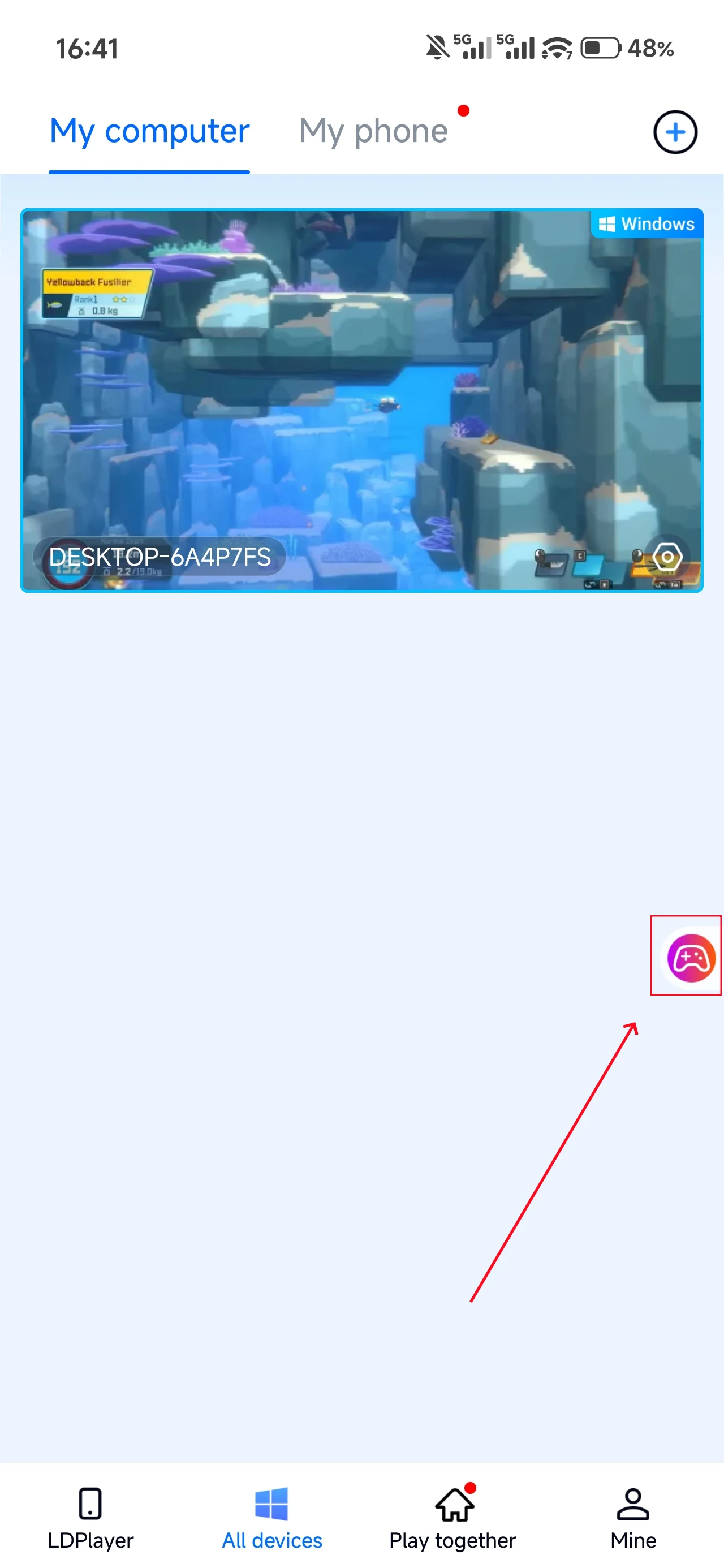
Open DAVE THE DIVER on your PC, and the mobile side can connect directly; if DAVE THE DIVER hasn't been launched on the PC yet, click the game icon on the mobile side for quick startup.
2. Control Mode
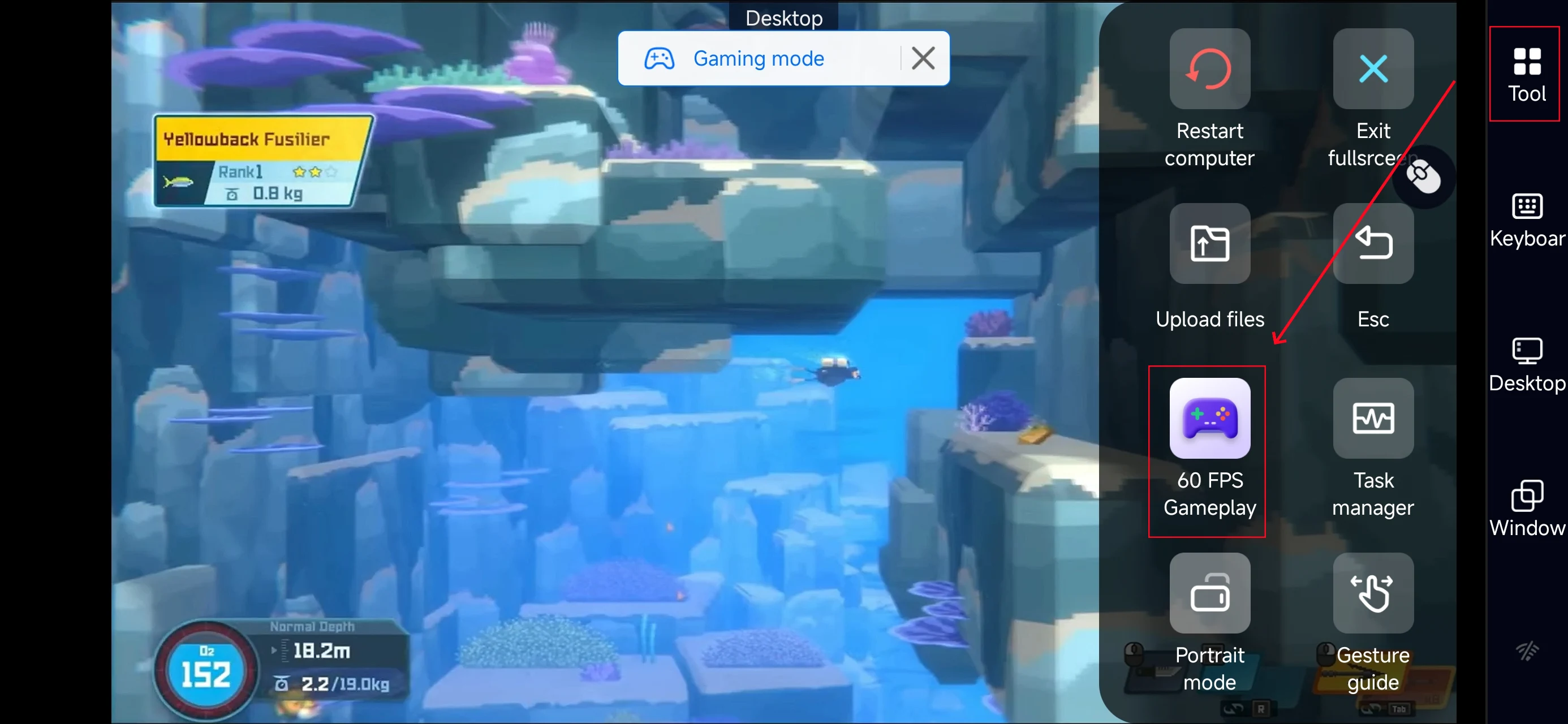
Click the toolbar on the right side of the mobile app, enter "60 FPS Gameplay," and choose key mode or link a controller based on your gaming preferences.
3. Customize key bindings
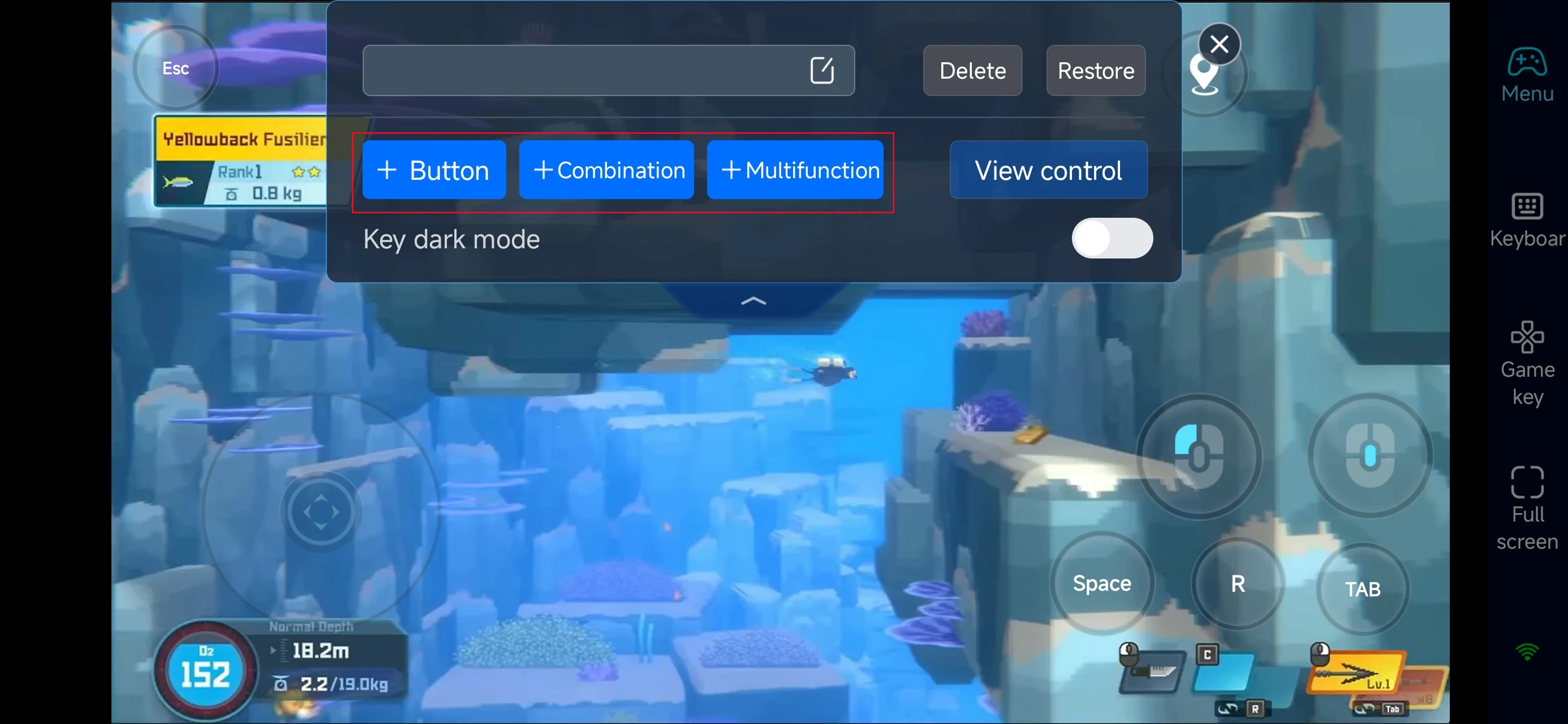
To accommodate the "Diving by day, Sushi by night" gameplay, we recommend the following optimizations within OSLink’s custom key mapping:
-
Dual Analog Sticks: Set the left stick for movement and the right for harpoon aiming to ensure agility against predators.
-
Action Hotkeys: Enlarge the "Spacebar (Harvest)" and "Left Click (Fire)" buttons to minimize input latency.
-
Menu Customization: Place dedicated buttons for high-frequency actions like serving, pouring tea, and menu research to prevent mis-taps.
4.Connect external devices
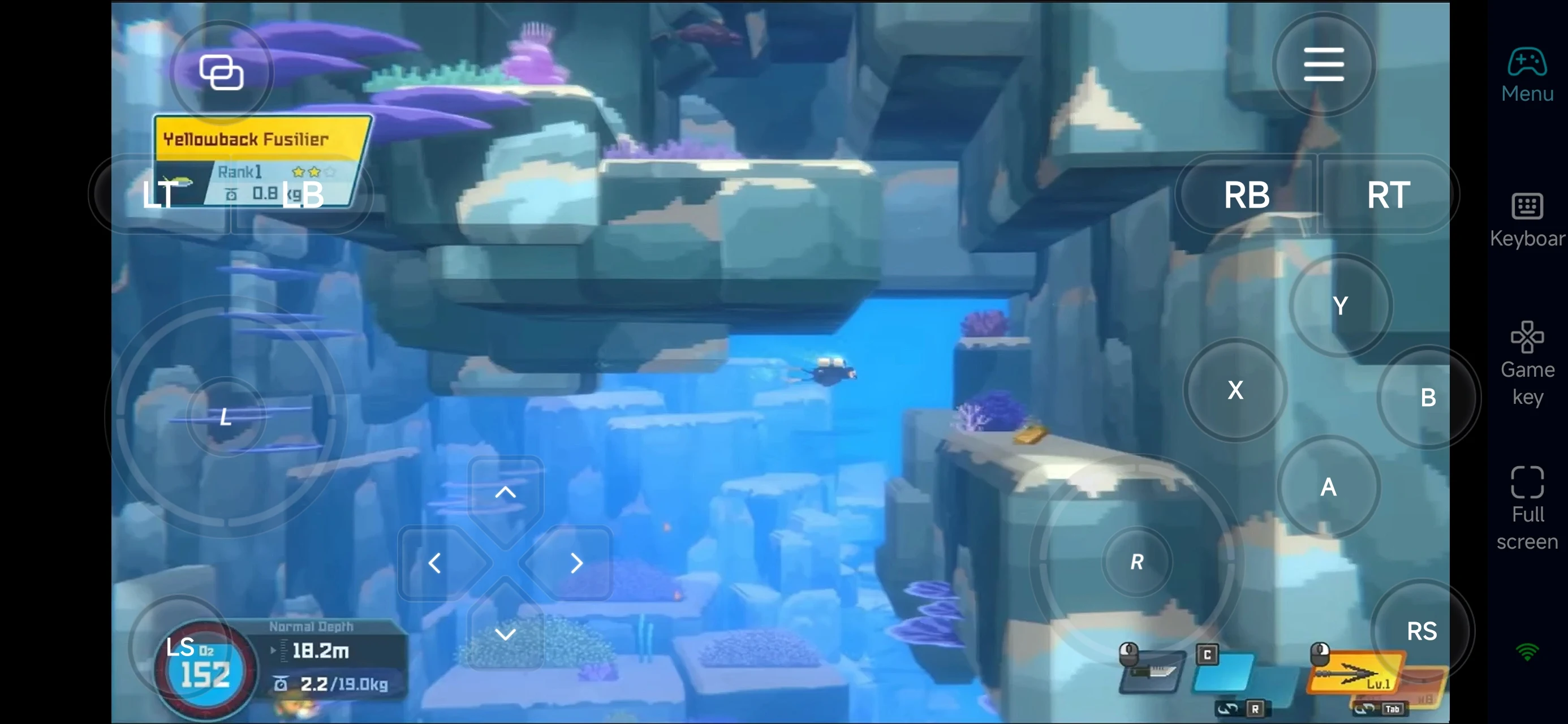
Beyond customizable buttons, OSLink supports a variety of external devices such as Bluetooth controllers and mobile gamepads clipped to your phone. This compatibility frees you from touchscreen limitations and offers a wider range of control options.
Step 3: Embark on Your Deep-Sea Adventure Anywhere
Once the setup is complete, your mobile device becomes a high-performance portable navigator, allowing you to advance your progress in any environment:
-
Deep-Sea Exploration & Harvesting: Use fragmented time during commutes or waiting in line to conduct lightweight fishing operations and collect rare ingredients.
-
Restaurant Management: Remotely log in anytime to check sushi bar operations, upgrade recipes, or recruit new staff to optimize revenue efficiency.
Core Advantages of Using OSLink
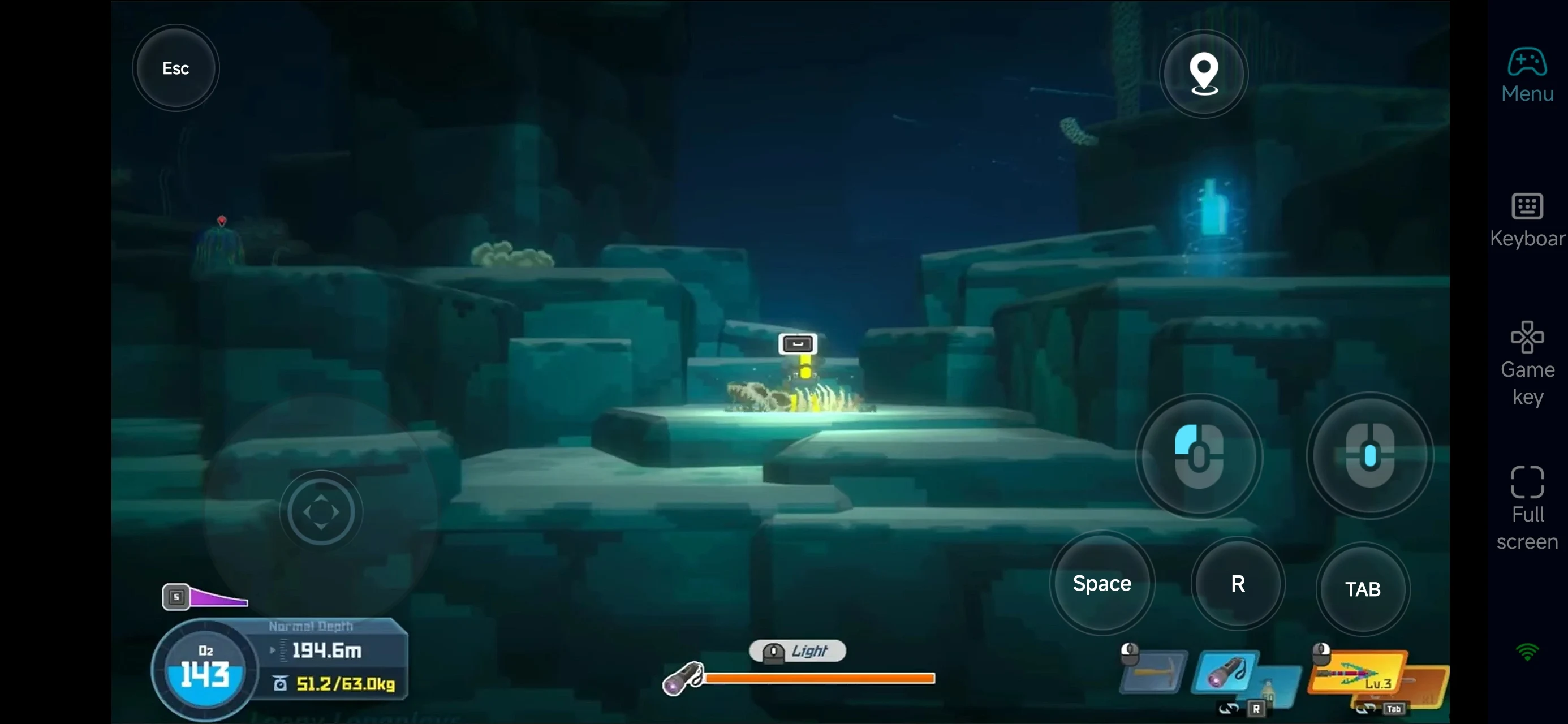
1. No Additional Purchase Required
Players who already own the game on PC can stream it directly to their mobile devices. There is no need to pay for a separate mobile license, and all game progress remains perfectly synced.
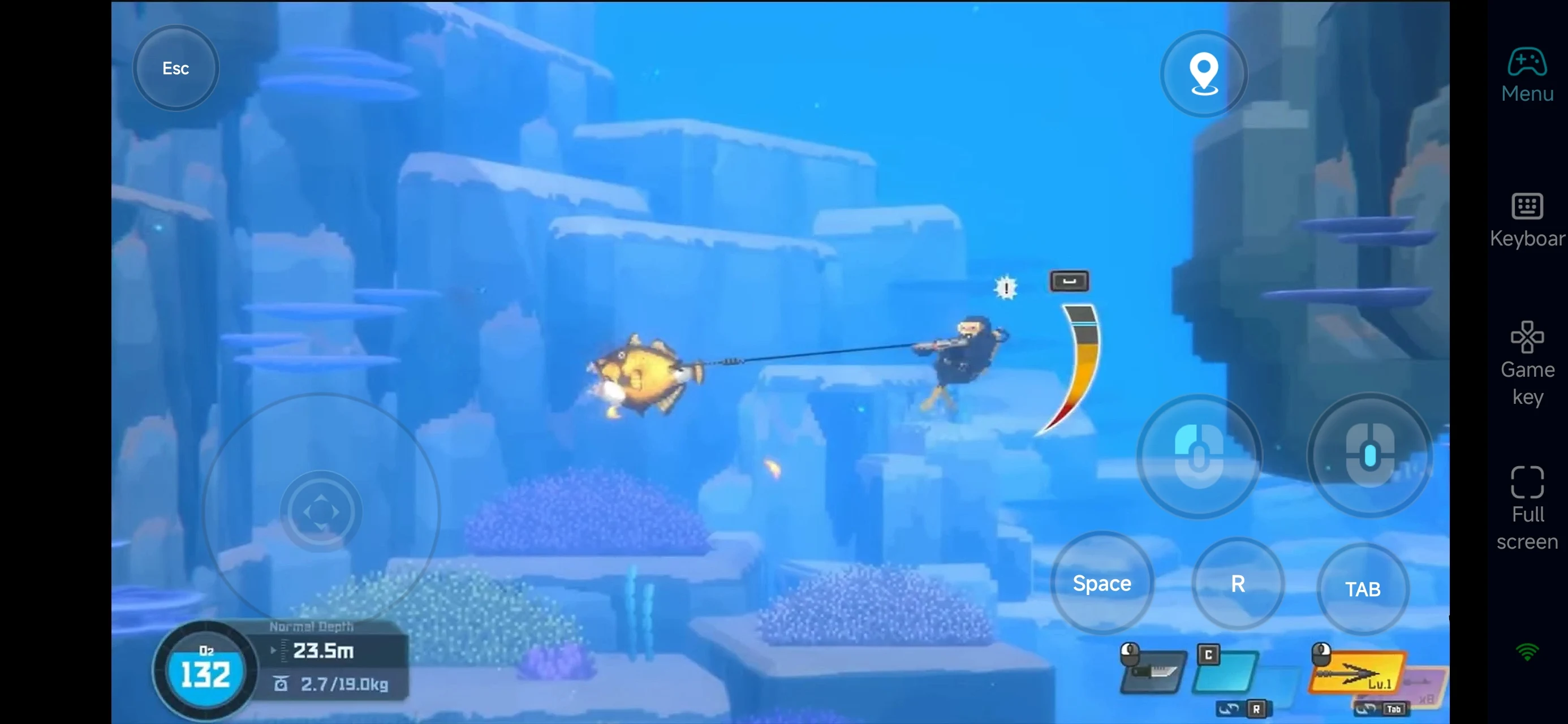
2. Zero Local Storage Impact
The PC version requires approximately 10 GB of space. By using OSLink’s streaming technology, the mobile device does not need to download the game files, saving valuable internal memory.
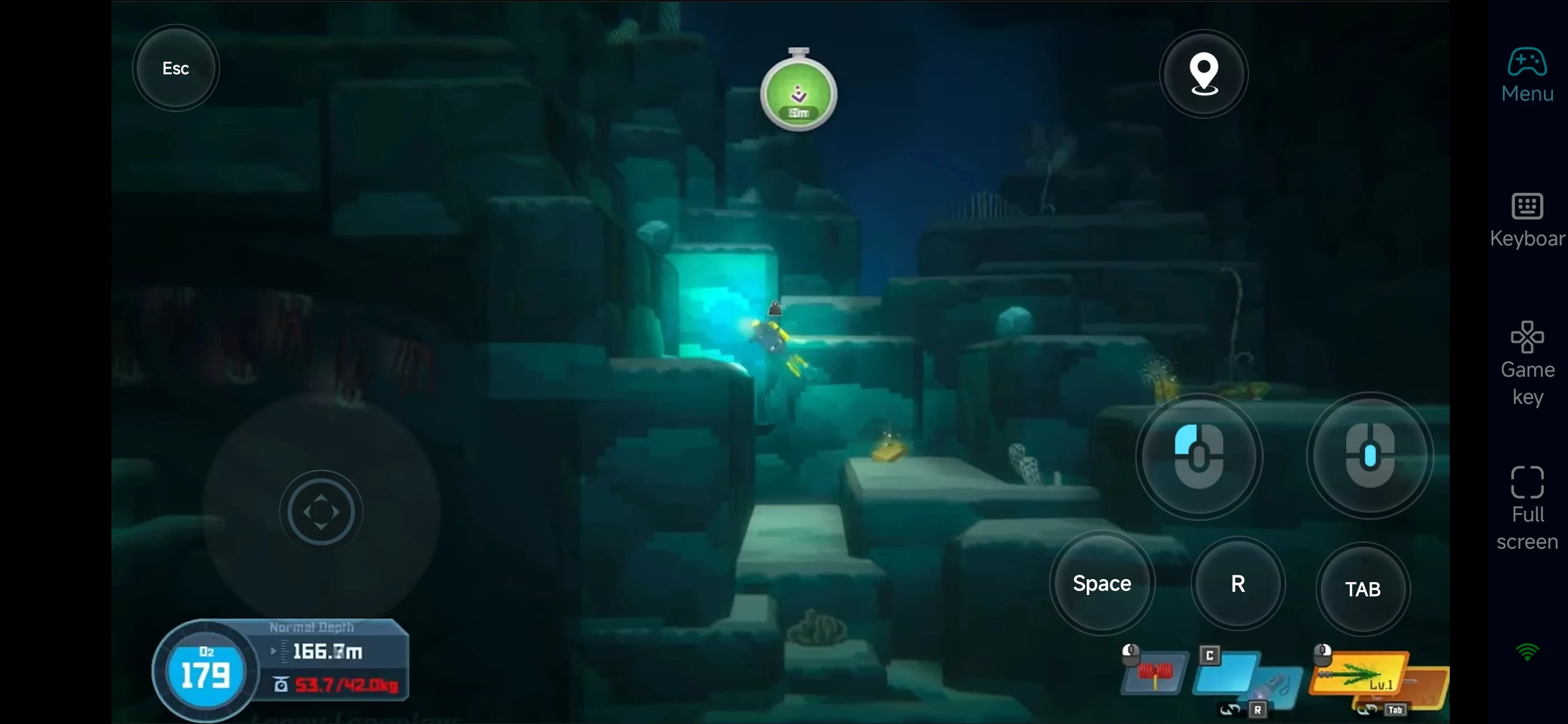
3. Advanced Custom Controls & Peripheral Support
OSLink provides a highly flexible virtual keyboard and mouse mapping system. Players can customize button layouts to suit their ergonomic preferences or connect Bluetooth controllers and external gamepads to achieve a console-level tactile experience on mobile.
FAQ
Q: When is the release date of DAVE THE DIVER?
A: The PC version was officially released on June 28, 2023.
Q: What are the minimum PC hardware requirements?
-
OS: Windows 7 64 bit
-
CPU: Intel Core i3 Dual Core
-
RAM: 8 GB RAM
-
GPU: NVIDIA Geforce GTS 450 / AMD Radeon HD 5570
-
DirectX: Version 11
-
Storage: 10 GB
For smoother performance, higher specs are recommended.
Q: Is there an Android version of DAVE THE DIVER?
A: Yes, an Android version is available. However, it’s recommended to play the PC version via OSLink. This way, you can save storage space on your phone, and if you already own the PC version, there’s no need to purchase it again on Android.
Q: Can I play DAVE THE DIVER on iPhone or iPad?
A: Yes. With OSLink, you don’t need to re-download or purchase the game on the App Store. Simply connect to your PC remotely and enjoy the game with the best graphics and performance.
Conclusion
OSLink transforms your mobile device into a high-performance controller for DAVE THE DIVER. Whether you are harvesting ingredients in the Blue Hole or managing a sushi bar, you can now bypass hardware and spatial limitations. It is the ideal solution for PC gamers seeking mobility without compromise.
 Download