English
 Ragnarok: Twilight Global is a classic MMORPG based on Ragnarok IP. Players need repeated field grinding, dungeon runs and event clears to upgrade characters, craft gears and collect materials. Manual gameplay wastes lots of time, especially for alt accounts dedicated to resource farming. This guide combines LDPlayer and OSLink remote tool to control PC emulators from your phone, enabling multi-instance auto farming and bulk account management.
Table of Contents
Basic Environment Setup
Set up the emulator environment on your PC before configuring multiple accounts.
Download Required Software
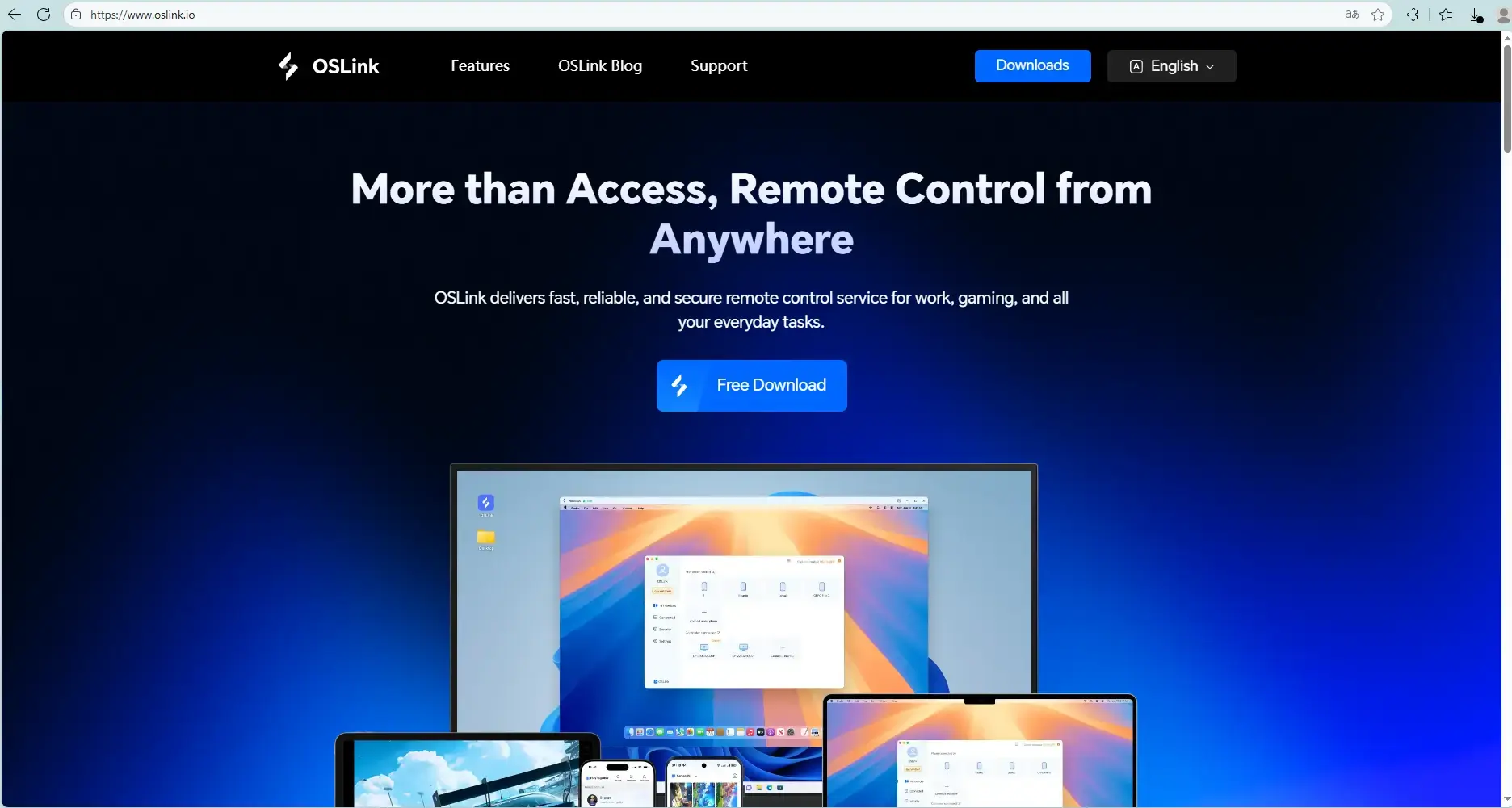
Download and install OSLink (https://www.oslink.io) remote software and LDPlayer (https://www.ldplayer.net/?lang=en) from official websites.
Install In-Game Content
Launch LDPlayer. Search and install Ragnarok: Twilight Global via built-in app store or Google Play.
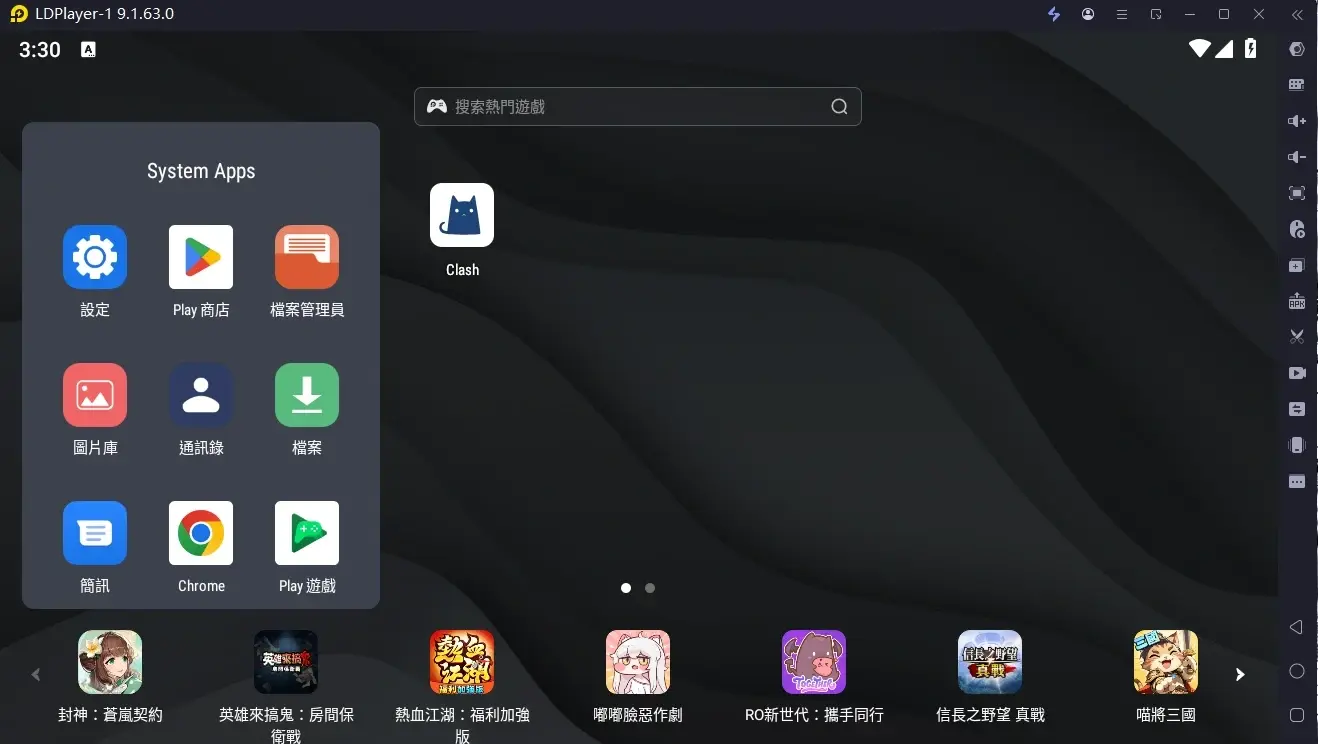
Mobile Remote Connection Setup
Finish PC setup then configure mobile OSLink for remote access.
Install OSLink on Mobile
Download OSLink from App Store for iOS or Google Play for Android. Users can also get APK file from official site.
Bind and Connect Devices
Log into identical OSLink account on mobile and PC. Select target PC device inside mobile OSLink app to complete pairing. Users can view and operate emulator screen directly on mobile after successful connection.
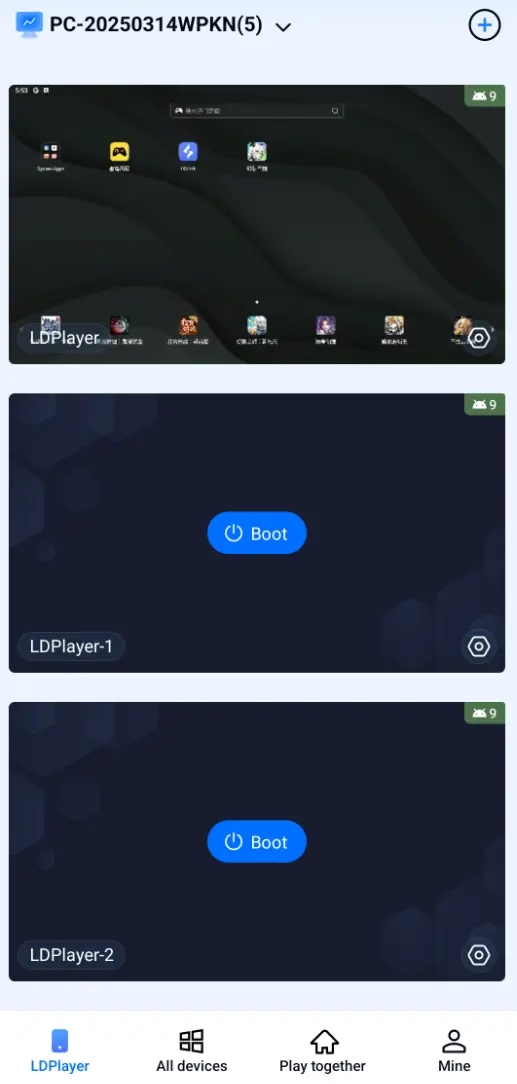
AFK Farming & Sync Multi-Instance Operation
Use OSLink auto-click and sync functions for automatic monster farming and bulk account management.
Auto AFK for Field Grind, Dungeon Run & Daily Quests
Most EXP, gears and materials come from repeated field and dungeon farming. Complete auto setup as below:
1. Connect PC emulator via mobile OSLink and open Ragnarok: Twilight Global.
2. Open OSLink auto-click tool. Record standard workflow including teleport to grinding spot, auto-target monsters, potion refill, revive and re-enter the dungeon.
3. Set loop duration and repeat times. Activate script to run unattended resource and gold farming.
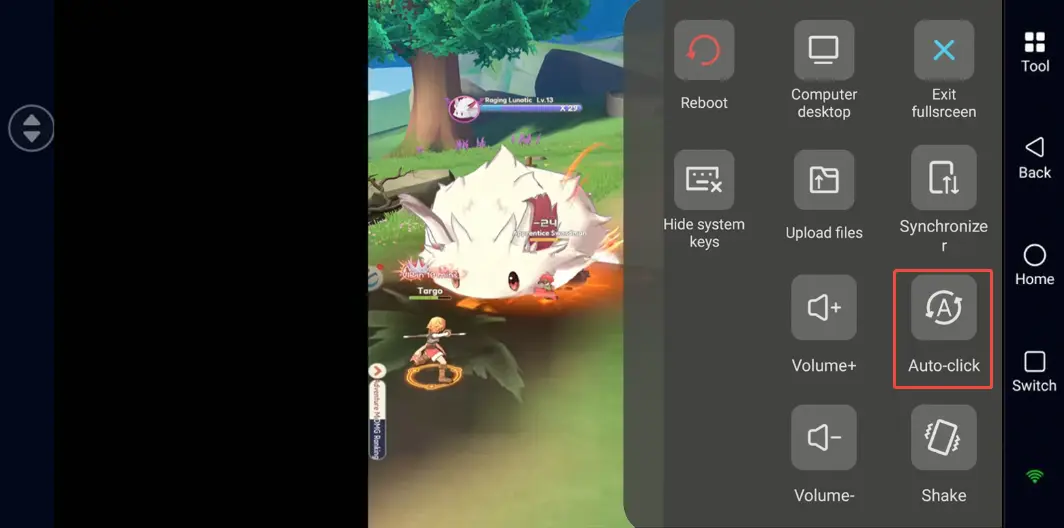
Sync Control for Bulk Alt Leveling & Resource Collection
If you need to manage multiple emulator windows simultaneously, you can use the synchronization function:
1. Open multiple Ragnarok: Twilight Global game windows in LDPlayer.
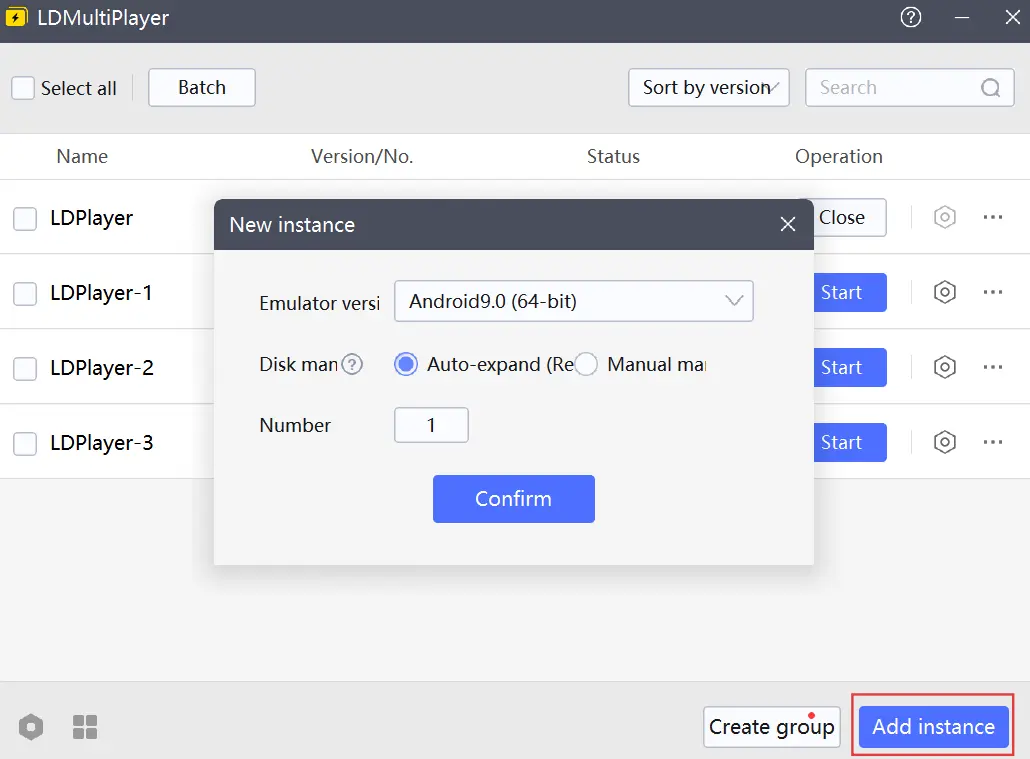
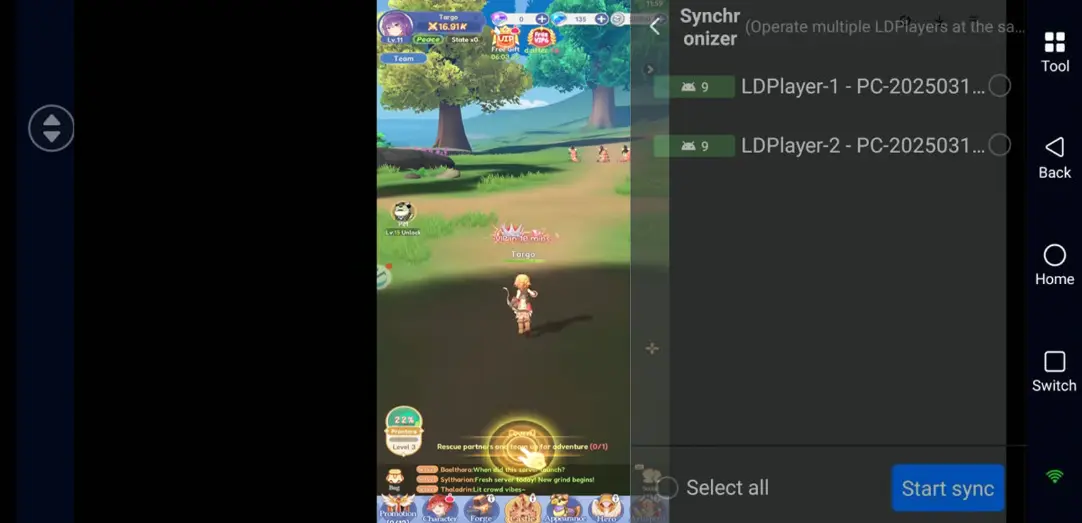
2. n the OSLink on the mobile phone, enable the "Sync Operation" mode, and then select all emulator devices that you need to synchronize and control.
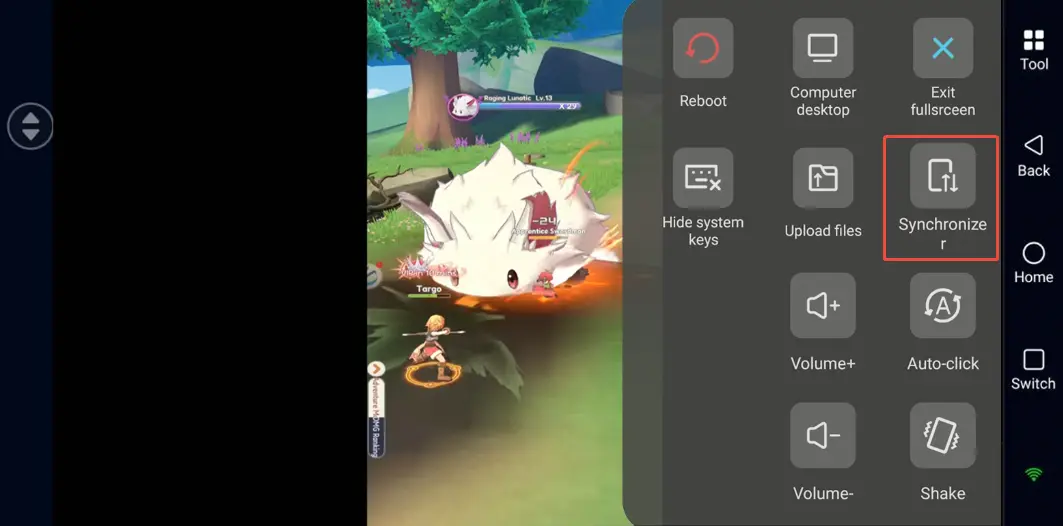
3. After enabling synchronization, every operation you perform on your phone, such as clicking on daily tasks, claiming activity rewards, completing sign-ins, and confirming formations, will be synchronized to all selected emulator windows simultaneously, greatly saving time on repetitive operations.
FAQ
Q: When does Ragnarok: Twilight Global launch?
A: Ragnarok: Twilight Global launches globally on June 4, 2026.
Q: What PC specs are required for smooth multi-instance running?
A: Minimum: Windows 7 64-bit, Intel i3 equivalent CPU, 8GB RAM, GTX750Ti GPU, 15GB free storage.
Recommended: Windows 10/11, Intel i5 or higher, GTX1650 or above for stable multi-instance performance.
Q: How many game accounts can run simultaneously on one PC?
A: No official in-game limit on account quantity. Total available instances depend on hardware performance. Mid-range PC with 16GB RAM supports 2 to 3 stable emulators. High-end PC with 32GB+ RAM can run 5 or more. Avoid overloading hardware to prevent game crash.
Q: Can iOS device run multiple game copies directly?
A: Native iOS system restricts app cloning. Users cannot log in multiple game accounts locally on iPhone. Use OSLink remote connection to access all PC emulators and manage multiple accounts remotely on iOS.
Summary
Complete above setup to remotely control multi-instance Ragnarok: Twilight Global on PC via OSLink and LDPlayer. Check farming progress anytime during commute or break on mobile phone. Auto farm materials and level numerous alts without missing limited event rewards. Adjust running instance number based on PC hardware and follow official game terms of service for proper gameplay.
 Download